Apps & Tools
How to Combine Polar and App Store Revenue on iPhone
A practical way for indie developers to review Polar, App Store Connect, Stripe and other sales in one iPhone revenue dashboard without opening several dashboards.
Published September 24, 2026 · Michael at Yuzool
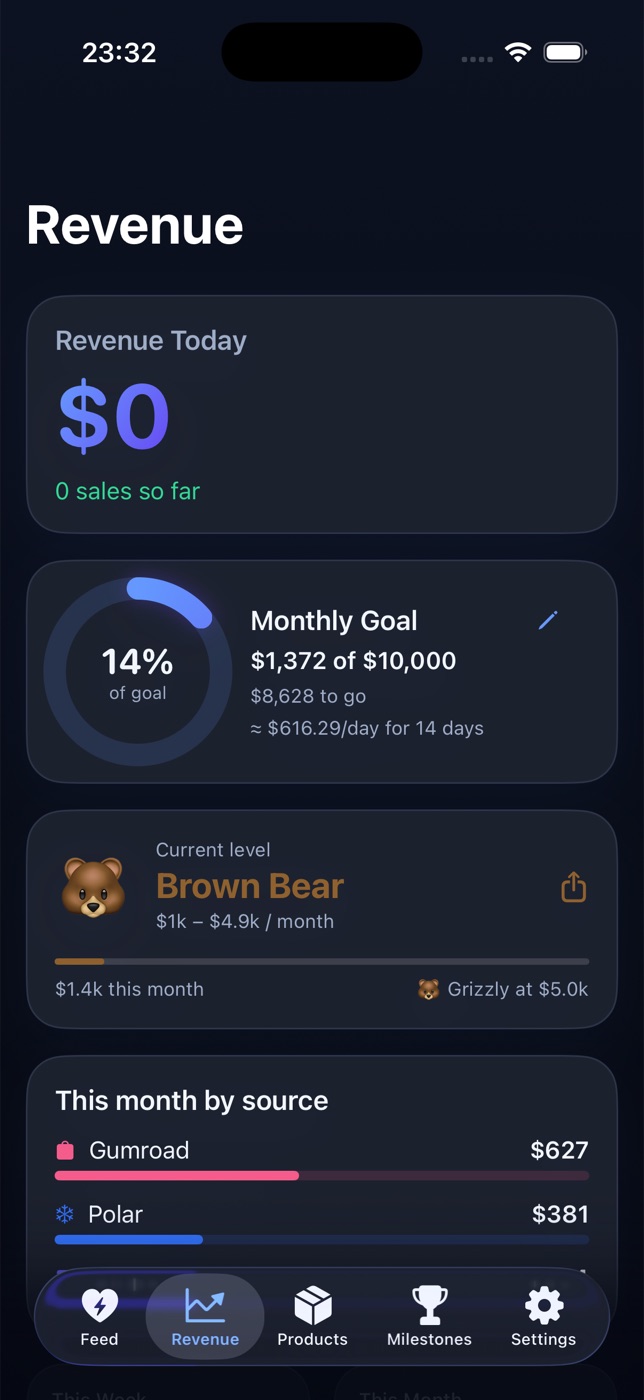
Selling an app through more than one channel creates a small but persistent reporting problem. Polar shows one part of the business, App Store Connect shows another, and Stripe, Gumroad or Lemon Squeezy may hold the rest. The numbers are not necessarily wrong; they are simply separated at the moment you want to answer a simple question: how did the portfolio do this week?
An iPhone revenue dashboard can make that review smaller. The goal is not to replace the source dashboards. It is to give an indie founder one private place to see activity, compare products and decide what deserves attention next.
Keep the source of truth separate
Start by treating each platform as authoritative for its own transactions. App Store Connect remains the source for App Store sales and refunds. Polar remains the source for Polar purchases and subscriptions. Stripe remains the source for its payments.
The combined dashboard is a decision layer, not a new accounting ledger. It helps you see the shape of the business without pretending every platform uses the same definition of net revenue, tax or payout date.
That distinction keeps the review useful. When you need exact settlement details, return to the source. When you need to know which product had movement yesterday, use the combined view.
Decide what “together” means
There are several useful ways to combine revenue:
- gross sales by source;
- net sales after refunds and fees;
- monthly recurring revenue;
- one-time purchases in the current period;
- sales by product;
- recent activity and milestones.
Choose one primary number for the daily glance and keep the source and product breakdown available underneath. A single total without context can be misleading, especially when a one-time launch sale is mixed with subscriptions.
Revenue Bear is designed for this exact review: a native iPhone dashboard for indie founders that brings Paddle, Stripe, App Store Connect, Gumroad, Lemon Squeezy and Polar into one private activity feed. See Revenue Bear for the supported sources and privacy model.
Make the daily review short
A useful revenue review should take minutes, not become another analytics job. Look at three things:
- What changed since yesterday?
- Which product or source explains the change?
- Is there one follow-up worth doing today?
The follow-up might be updating a landing page, answering a support question, finishing a release note or doing nothing because the movement is normal. The dashboard earns its place when it helps you make that decision faster.
Be careful with currency and timing
Different providers may report in different currencies and on different schedules. A dashboard should make its conversion or aggregation rules visible. Do not use a combined number for tax filing without checking the provider statements and your accountant’s preferred basis.
It is also normal for a sale to appear in one system before the payout reaches your bank account. Keep “sales activity” and “cash received” conceptually separate. That one distinction prevents a lot of unnecessary anxiety during a quiet week.
Use milestones without turning sales into a slot machine
Small products benefit from visible progress. A monthly goal, a first sale from a new product or a meaningful recurring-revenue level can help a founder notice that the work is moving.
The milestone should support the work, not replace it. A quiet day is not a verdict on the product, and a noisy day is not proof that the next month is solved. Use the notification as a prompt to review, not as a reason to refresh all day.
For more founder-focused tools, browse the Yuzool Store or the Free Tools. If your sales are split between Polar and Apple, try Revenue Bear on iPhone.
The best combined revenue dashboard is deliberately modest. It puts the right signals close together, leaves exact accounting to the source systems and gives an independent developer a calmer way to decide what to do next.