Apps & Tools
An iPhone Receipt Scanner for Freelance Tax Preparation
A practical receipt workflow for freelancers: capture expenses as they happen, keep the original context and prepare a cleaner record before tax time.
Published September 26, 2026 · Michael at Yuzool
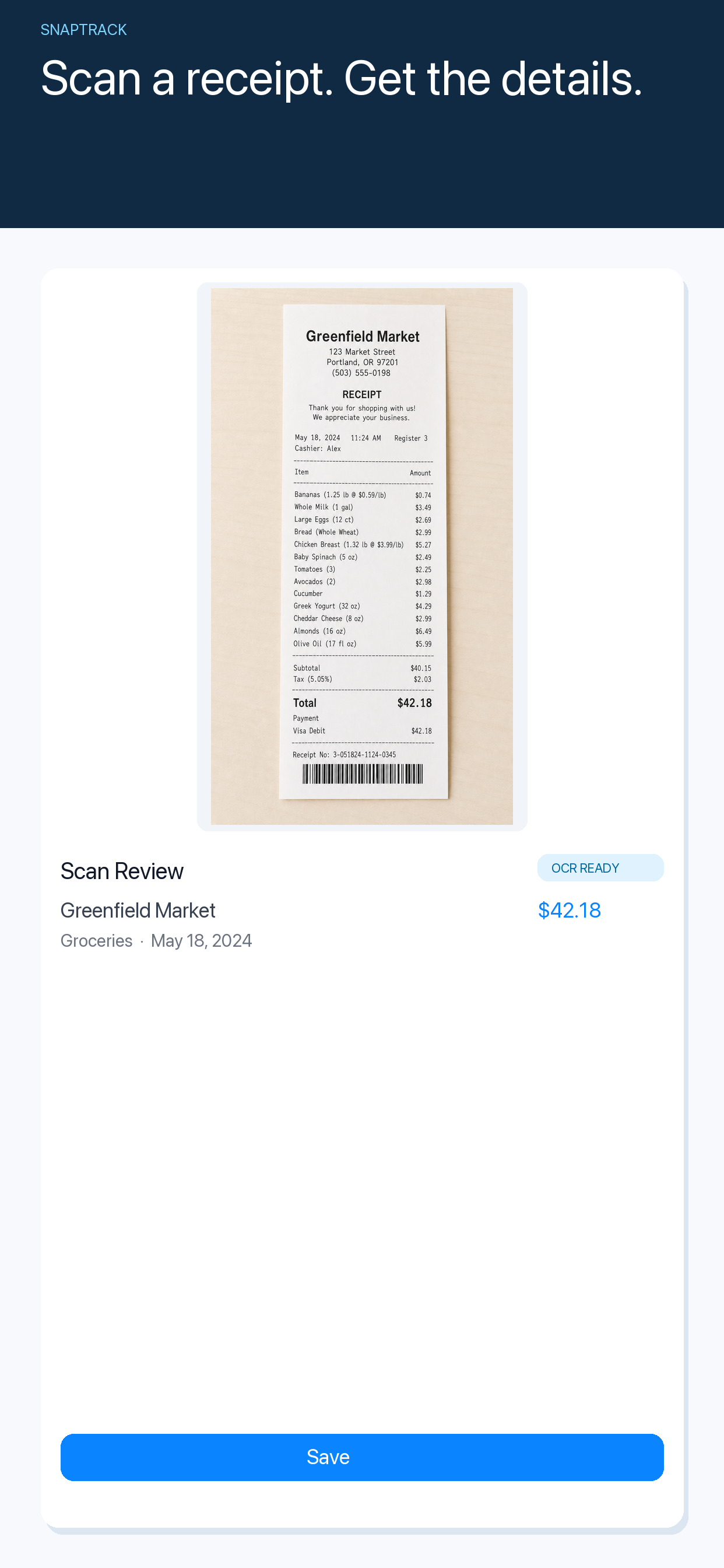
Tax preparation is much easier when a freelancer does not have to reconstruct a year of spending from a wallet full of paper. An iPhone receipt scanner can help, but the real improvement comes from building a habit that is quick enough to use after a client lunch, train journey or software purchase.
The goal is not to make an app decide whether an expense is deductible. That depends on your situation and your tax adviser. The goal is to keep a dated, legible record with enough context that you can review it later.
Capture the receipt while the context is fresh
The best time to record an expense is usually when it happens. Take the photo before the receipt disappears into a bag or gets mixed with personal spending. Add a short note while you still remember the client, project or travel reason.
The note does not need to be an essay. “Train to client workshop” is more useful six months later than a receipt image with no explanation. If the purchase covers more than one project, record that distinction while it is obvious.
Check the scan instead of trusting it blindly
Receipt recognition is helpful, not magical. Glare, folded paper, unusual layouts and low light can produce a wrong total or date. Spend a few seconds checking the merchant, date, currency and amount after the scan.
If something is missing, correct it manually. A short review now is much cheaper than trying to interpret an incomplete record at the end of the year.
SnapTrack is an iPhone expense tracker for scanning receipts, checking the extracted details and keeping a simple history of business spending. The workflow is deliberately small: capture, review and move on.
Keep business and personal spending understandable
Separate records are easier to audit than a single stream of unexplained purchases. If you use one card for both, add a category or project note that makes the business reason clear. Keep invoices, emails and other supporting documents where they belong; a receipt tracker is a useful index, not automatically a complete accounting system.
For recurring expenses, record the subscription or renewal separately from one-off purchases. For travel, note the trip dates and purpose. For meals, record who the meeting was for and what business context applied. These details make a later review more straightforward without asking the app to provide tax advice.
A weekly receipt review that takes ten minutes
Choose one day each week to review new expenses. Look for four things:
- missing dates or totals;
- receipts that need a project or client note;
- duplicates from photographing the same receipt twice;
- purchases that need a separate invoice or supporting document.
This is also the right time to export or share information with your accountant, if your workflow requires it. Do not wait until a filing deadline to discover that a receipt is unreadable.
Privacy still matters
Receipts can contain names, addresses, order numbers and payment details. Use a tool whose privacy approach you understand, keep your device protected and avoid sharing the whole history when only one receipt is needed. SnapTrack’s receipt scanning is designed to keep the capture workflow private and focused, but you should still review what you store and share.
An iPhone receipt scanner is most valuable when it becomes boring. Capture the next receipt, check the details and add just enough context for future you. Try SnapTrack if you want a lighter way to keep freelance expenses together before tax preparation begins.