Pet care
How to Update Your Dog’s Microchip Registration After Moving
A clear checklist for updating a dog’s microchip registry after a move: find the chip number, identify the right database, change contacts and confirm the update.
Published September 17, 2026 · Michael at Yuzool
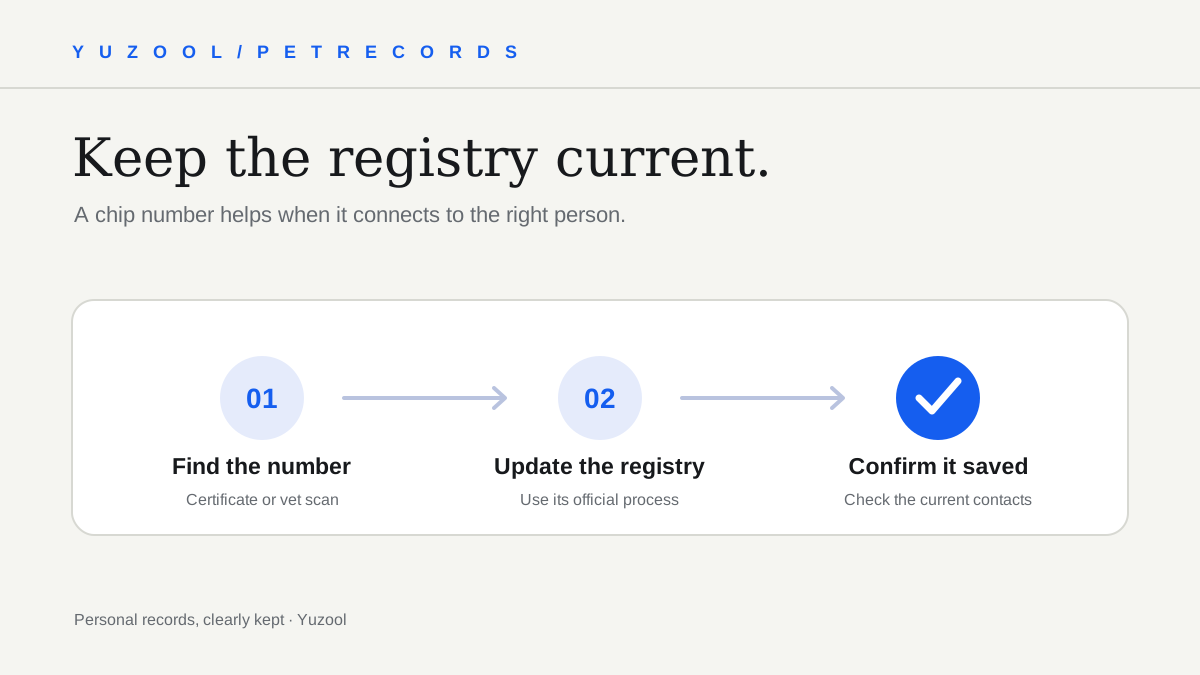
After a move, updating your dog’s microchip registration is easy to forget among address changes, boxes and new-vet paperwork. The chip itself is only an identifier; the registry record is what connects that number to current contact details. Keeping the number in a pet record app is useful, but it does not change the information held by the registry.
The exact update process depends on the registry that holds the record. Use its current instructions, and treat the steps below as a preparation checklist rather than a substitute for the registry’s own process.
1. Find the microchip number
Look at the microchip certificate, adoption paperwork, previous vet records or any registration email you received. Copy the number carefully and compare it with the original record. A single transposed digit can send you to the wrong lookup.
If you cannot find the number or are unsure which pet it belongs to, contact your veterinary clinic and ask whether they can scan your dog and confirm the code. Do not guess from an old note or assume the number printed on a tag is the microchip number.
2. Identify the registry that holds the record
Use the paperwork from the clinic or shelter that implanted or registered the chip to find the registry name and its contact route. If the provider is unclear, ask the clinic that scanned the chip which registry or manufacturer information it can identify.
The American Veterinary Medical Association’s microchipping guide explains that the chip’s unique ID needs to be registered with your contact details, and that you should keep those details current. The registry is the important destination for an address change—not a note in your phone or a pet-care app.
Some pets may have records in more than one place, especially after a move or adoption. Check the instructions for the registry named on the paperwork, and ask the clinic or registry support team if you are not sure whether another record also needs attention.
3. Update every contact method the registry asks for
Use the registry’s official website or support channel. Sign in or follow its identity-verification process, then update the fields it requests. Usually the practical goal is to make sure a finder or clinic can reach you now—not at your previous home.
Review details such as:
- Your current phone number and email address.
- Your new home or mailing address, if the registry records it.
- A trusted backup contact who knows how to reach you.
- Your dog’s name and any details needed to match the correct profile.
If the dog has moved to a new owner, use the registry’s change-of-owner procedure rather than simply replacing one phone number. Follow the registry’s requirements for permission or documentation; ownership-transfer rules differ.
4. Confirm the change actually saved
Do not stop at a confirmation screen if you can verify the profile afterward. Sign back in, reopen the record or use the registry’s confirmation method to check the phone number and email are correct. Keep the confirmation message or a dated note for your records.
If the update fails, contact the registry through its published support details and ask what information it needs. Avoid sending identity documents or sensitive personal information to an address you have not verified as belonging to the registry.
5. Keep a private backup of the details
Save the microchip number, registry name and update date somewhere you can find them during a vet visit or if your dog goes missing. Keep the full identifier in a private record, not in a public social post. Tell a partner or trusted caregiver where the record is stored.
PawKeep can help keep pet health details together on iPhone, including a reference to microchip information. Use it as your personal record; it does not update a registry or replace checking the official profile. See PawKeep’s pet health record app.
A quick after-moving checklist
- Locate and verify the microchip number.
- Find the registry named on the chip or adoption paperwork.
- Update your current contact details through the registry’s official process.
- Use the ownership-transfer route if the responsible person has changed.
- Reopen the profile or confirm with registry support that the change saved.
- Keep the number and registry name in a private pet record.
Put the registry update beside another move-related task, such as changing your vet or updating your pet sitter’s contact sheet. A small reminder now is more useful than trying to reconstruct an old registration when you urgently need it.