Apps & Tools
How Freelancers Can Track Invoice Payment Status Across Clients
A simple freelance invoice tracker workflow for knowing what is drafted, sent, due, overdue or paid—without searching every client email thread.
Published October 7, 2026 · Michael at Yuzool
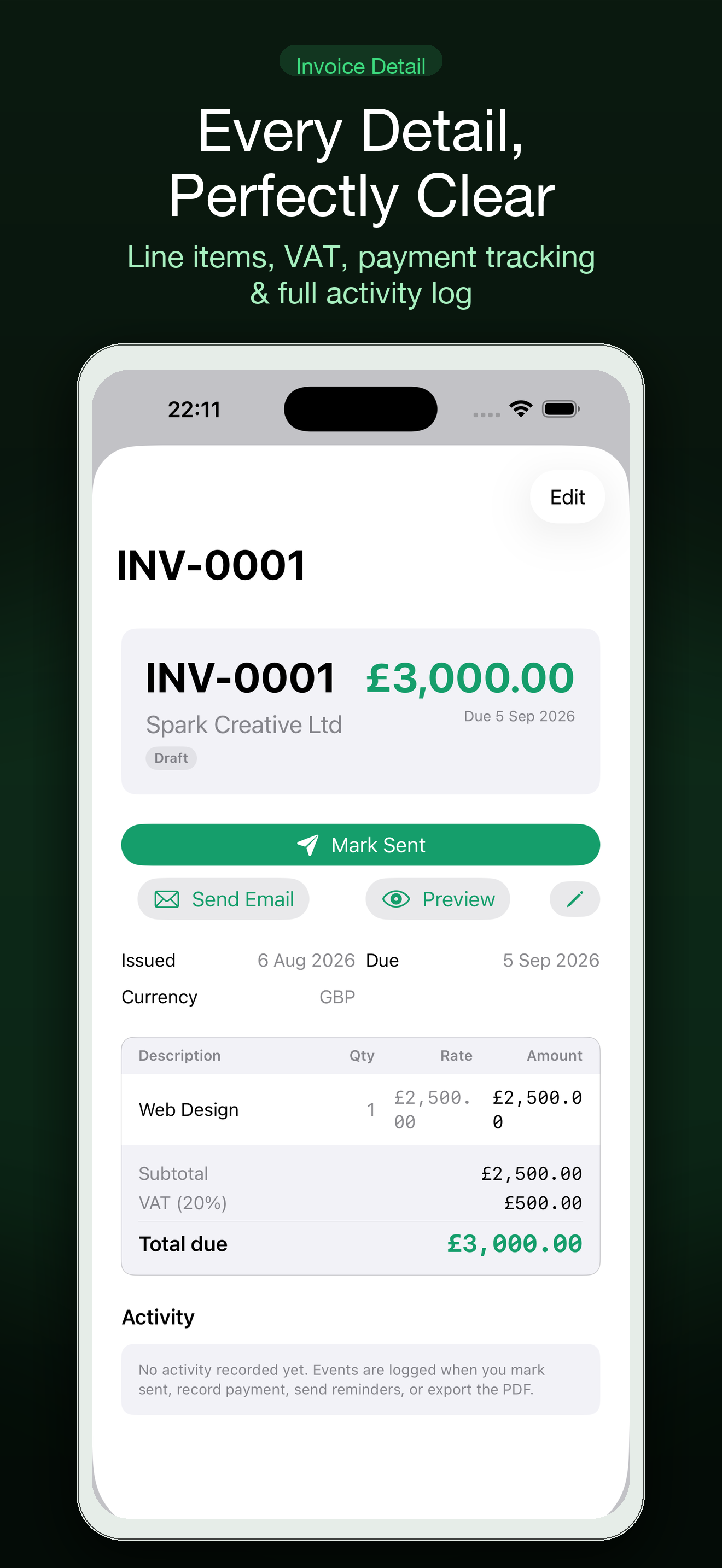
When you work with several clients, the difficult part of invoicing is often not creating the PDF. It is remembering what happened after it left your outbox. One invoice is still a draft, another is due next week, and a third may have been paid without the message reaching the right place.
A lightweight invoice payment tracker gives each invoice a visible state and a next action. It does not need to become a full accounting system. It needs to answer a few questions quickly: what have I sent, what is due, what has arrived and which client needs a polite follow-up?
Give every invoice a consistent status
Use a small set of states that describe reality:
- Draft: not yet checked or sent.
- Sent: delivered to the client, with the sent date recorded.
- Due soon: the payment date is approaching.
- Overdue: the due date has passed and payment is not confirmed.
- Paid: the payment has been received and matched to the invoice.
Keep the labels unambiguous. “In progress” is not helpful if it could mean that the work is unfinished, the invoice is being prepared or the client is paying it.
Record the details that make follow-up possible
For each invoice, keep the client, invoice number, amount, currency, issue date, due date, service period and status together. Note the date and channel when you send it. If a client asks for a purchase-order number or a different billing contact, capture that requirement on the client record so the next invoice starts with the right information.
Do not add personal or sensitive client details that have no billing purpose. A tracker should make the payment conversation clearer while keeping the record appropriately small.
Review due dates on a repeatable rhythm
Choose a weekly time to scan open invoices. Sort first by due date, then by status. A short review prevents two common problems: forgetting an invoice that is already late and sending a reminder for one that was paid yesterday.
Before following up, check your bank or payment provider and verify the invoice reference. If payment is not visible, send a brief note that names the invoice, amount and due date, and asks whether the client needs another copy or any clarification. Keep the tone professional; a late payment does not always mean a difficult client.
Separate invoice status from cash-flow forecasting
An unpaid invoice is not cash in the bank. For planning, distinguish confirmed money from expected money, and avoid treating a projected payment date as guaranteed. If your income varies, review open invoices alongside upcoming expenses and work already agreed, rather than relying on one optimistic total.
For a basic process, a spreadsheet can be enough. When client records, invoice history, receipts and payment status become scattered, a dedicated tool can reduce the repeated checking. Settle brings client and invoice records together on Mac and iPhone, with PDF invoices, payment status, expenses and iCloud sync. You can also compare the freelance invoice workflow with your current setup.
Keep a follow-up note with the invoice
Record the date of each reminder and the response. If the client says payment is scheduled for a particular day, note that as an expectation—not as a completed payment. Once the money arrives, mark the invoice paid and reconcile the amount against the invoice, including any fees or partial payment that need attention.
The goal is not to automate every conversation. It is to make sure each open invoice has a clear, accurate state and that the next message is timely and informed. A calm weekly review is usually more reliable than searching your inbox whenever you wonder whether a client has paid.