Apple & Mac
How to Find Low-CTR Pages in Google Search Console on Mac
A focused workflow for finding pages with impressions but few clicks in Google Search Console, choosing one title or description change and measuring the result on Mac.
Published October 3, 2026 · Michael at Yuzool
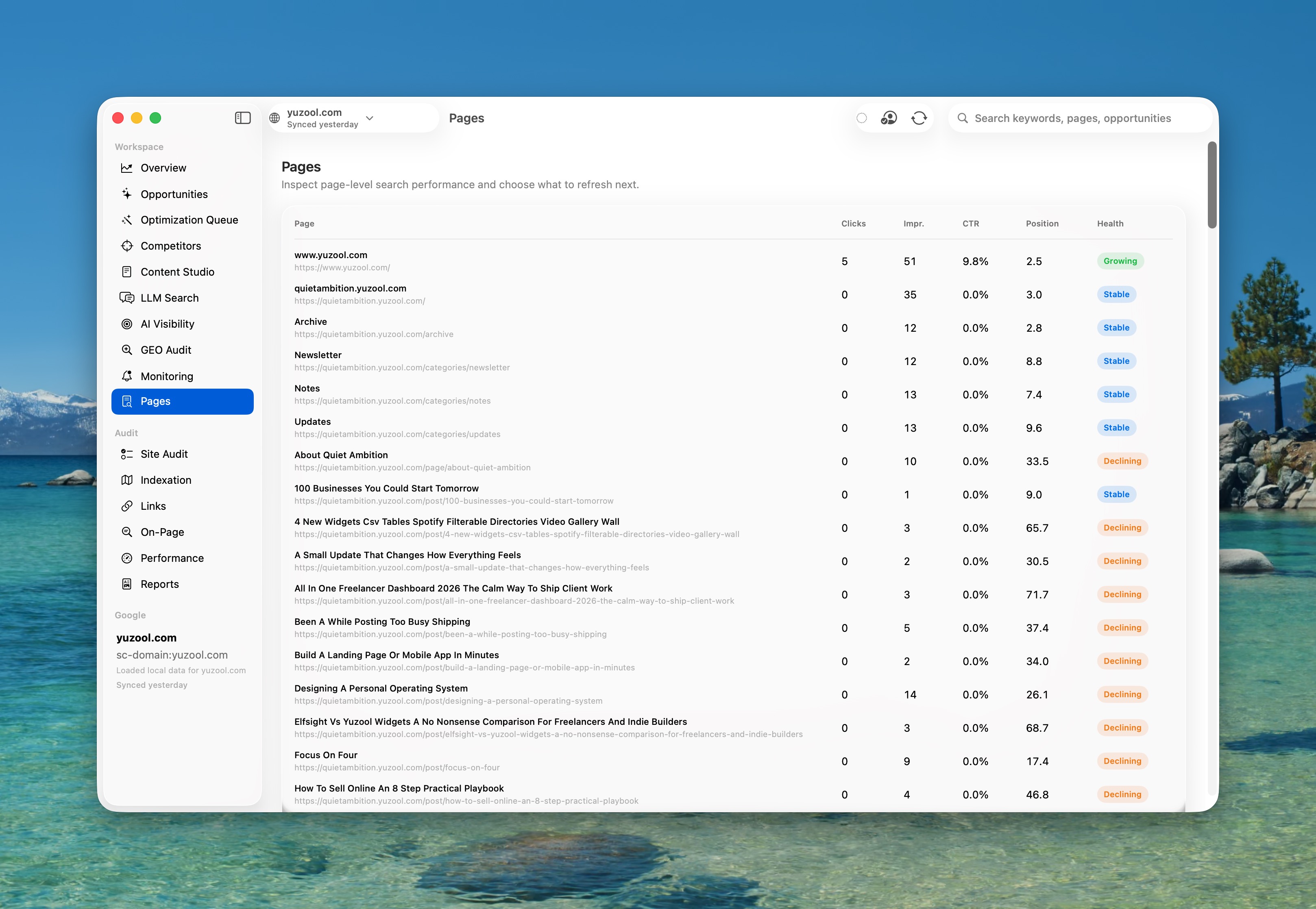
Low click-through rate pages are often the fastest SEO opportunities on a small site. Google is already showing the page, so the first question is not “what should I write?” It is “why is the result not earning the click it has been offered?”
Start with impressions, not traffic totals
Open Search Console and look for pages with meaningful impressions, a position where they can realistically be seen and a CTR that feels weak for the query. Do not compare every page to one universal benchmark. A branded query, a broad research phrase and a specific product question behave differently.
Read the query beside the page. If the query asks for a receipt tracker and the title sounds like a general productivity app, the mismatch may be the problem. If the page is showing for an accidental query, changing the title alone will not fix the intent.
Make one change you can explain
Rewrite the title so it names the audience, task or outcome. Keep the description useful rather than stuffing it with variations. Then record what changed and the date you changed it. A short before-and-after note is more valuable than a dashboard screenshot with no decision attached.
Rank is a native Mac workspace for turning Search Console data into a short list of pages worth improving. It is built for the next decision: choose the page, make the change and return later to see whether clicks moved. See Rank or buy Rank for $39 through Polar.
Give the change time to settle
Search results move for many reasons, so do not judge a title after a single day. Check the same query and page after a reasonable period, then classify the result as useful, neutral or inconclusive. The goal is not to win every experiment. It is to stop making SEO changes from memory alone.
For a small site, this loop is enough: find a page already receiving attention, improve the promise, log the change and measure the next decision.