Apple & Mac
A Mac Automation App for Folder Workflows and Repetitive Tasks
Use a Mac automation app to move files, trigger repeatable actions and reduce small chores without building a large cloud workflow.
Published September 24, 2026 · Michael at Yuzool
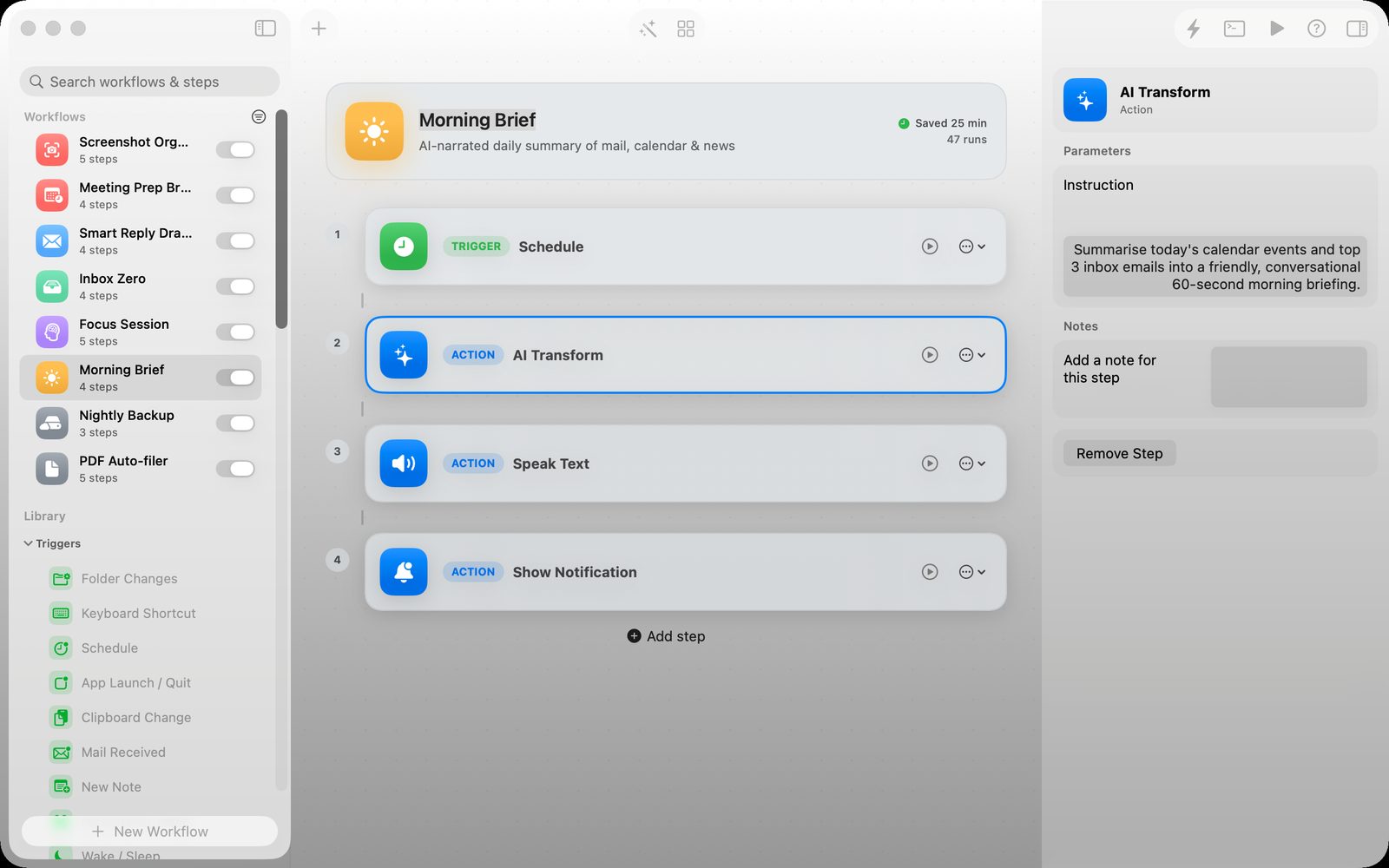
Some automation jobs are too small for a full platform but too repetitive to keep doing by hand. Renaming a batch of exports, moving screenshots into project folders, opening a daily set of apps or preparing a morning brief are all good examples. A Mac automation app can make those routines visible and repeatable without turning them into a software project.
Start with one reliable trigger
The best first automation usually begins with something you already do. A folder receives a file, a keyboard shortcut is pressed or a schedule reaches a known time. The trigger should be easy to understand and easy to test; if you cannot explain when it runs, it will be difficult to trust.
After the trigger, keep the first workflow short. Move a file, rename it, open an app or send a notification. Once that works consistently, add the next useful action. A small workflow that runs every day is more valuable than an elaborate one you are afraid to turn on.
Why visual workflows are easier to maintain
A visual workflow makes the sequence legible. You can see what starts the automation, what happens next and where an error might occur. That matters for personal automations because you are both the builder and the person who has to fix them later.
Local execution is useful for files and private routines. The automation can work with the folders and apps already on your Mac without requiring every document to pass through a separate cloud service.
Where Relay fits
Relay is a Mac automation app for folder triggers, hotkeys, schedules, Mail actions and repeatable local workflows. It is aimed at the middle ground between a one-off script and a large automation service: enough structure to understand what will happen, without requiring a separate backend or team workspace.
A useful first workflow
Create a folder called “To review.” When a file arrives, have Relay move it into the right project folder and open the relevant app. Add a notification that confirms the action. Use the workflow for a week before adding more branches.
The test is not how clever the automation looks. It is whether the routine removes a small piece of friction without creating a new thing to monitor.