Apple & Mac
A Mac Weekly Planner for Solo Consultants
Plan a realistic consulting week on Mac with a focused weekly task board for client work, proposals, admin, follow-ups and unfinished tasks that need to move forward.
Published September 24, 2026 · Michael at Yuzool
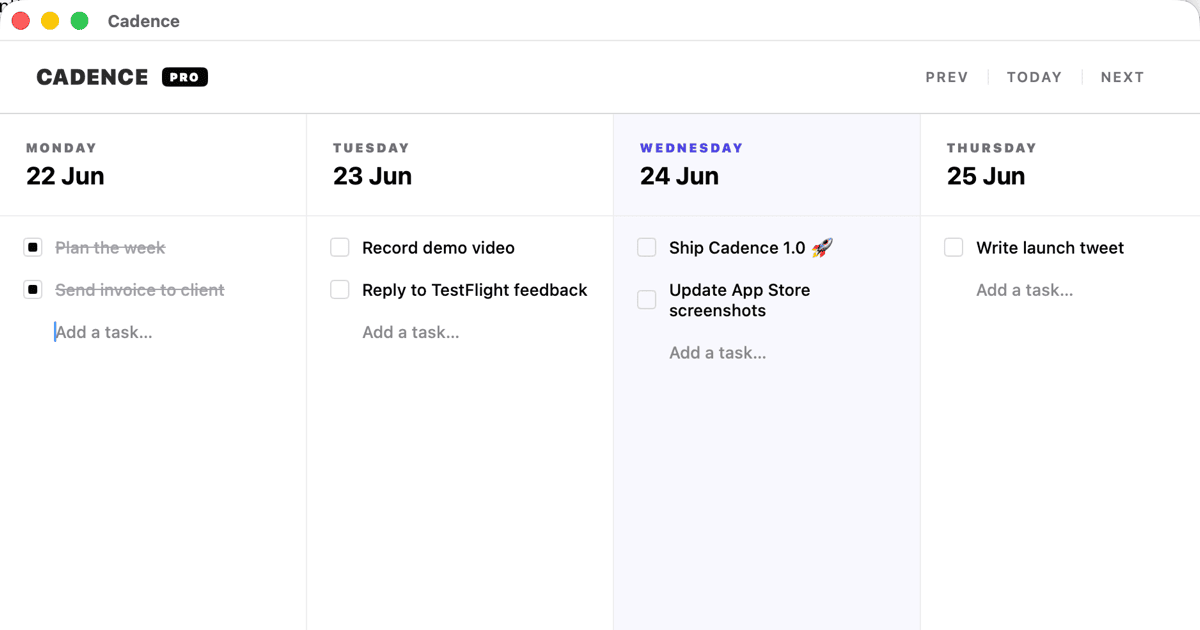
Solo consulting work is rarely one clean project. A client call can create a proposal, the proposal can create research, and an urgent support question can move the rest of the day. A useful Mac weekly planner needs to show the commitments that matter without pretending every task will happen exactly when it was first written down.
Plan around promises, not a perfect schedule
Start the week with the things other people are waiting for: a deliverable, a presentation, a proposal, a review or a follow-up. Put those fixed promises where they are easy to see. Then add the flexible work that supports them.
This creates a more honest plan than filling every hour. If the week changes, the fixed promises remain visible while lower-priority tasks can move without making the entire system feel broken.
Give each client a small amount of space
Consultants often switch between several clients in one day. Keep the weekly view grouped by outcome or client, but avoid creating a large project-management hierarchy for every engagement. A short label and one next action are often enough.
For example:
- Client A — send revised homepage structure
- Client B — prepare Thursday workshop
- Client C — review analytics and recommend next test
- Studio — send invoices and update pipeline
The point is to know what “done enough for this week” means. A task that says “work on Client A” cannot help you decide what to do next.
Keep admin visible but contained
Invoices, proposals, scheduling and email follow-ups are easy to postpone because they do not feel like client work. Give them a small place on the weekly board instead of allowing them to appear as interruptions all day.
Batching admin into one or two visible blocks protects the time needed for deeper work. It also makes the week easier to review: if the board is full of admin, that is useful information about the business rather than a personal failure to focus.
Move unfinished work without starting over
An unfinished task should carry its context forward. Keep the next action, the relevant client and any useful note attached as the item moves into the next week. Do not make yourself reconstruct the decision from an old calendar entry or a long email thread.
Cadence is a native Mac weekly task board for freelancers and independent workers who need to see what matters this week and move unfinished work without starting over. It is designed for a realistic week: fixed commitments stay clear, flexible work has room to move and the board does not need to become a full operating system.
If you are comparing approaches, read the Cadence review and the guide to weekly planning for freelancers. The Yuzool Mac bundle also includes Cadence alongside seven other focused native Mac tools for independent work.
The best weekly planner for a solo consultant is not the one with the most views. It is the one that keeps promises visible, gives the next action a name and lets the plan change without losing its history.