Apple & Mac
Moving from a Paper Planner to a Mac Weekly Planner
Keep the clarity of a paper weekly planner while gaining a native Mac view for unfinished tasks, client work and changing priorities.
Published September 25, 2026 · Michael at Yuzool
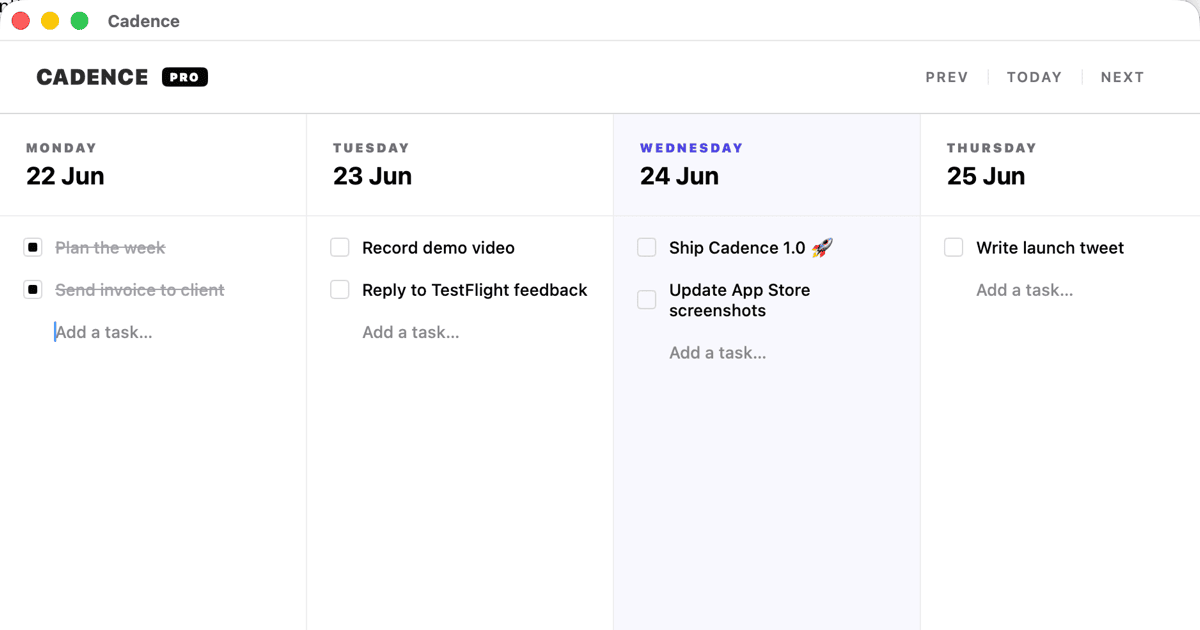
Paper planners are popular for a good reason: the whole week is visible, writing a task feels deliberate and there is no notification competing with the page. The difficulty appears when the work changes shape. A client moves a deadline, a meeting creates three follow-ups or an unfinished task needs to travel into next week without being copied out by hand.
Moving to a Mac weekly planner does not have to mean adopting a giant project-management system. The useful goal is to keep the paper planner’s calm weekly view while making changing work easier to carry forward.
Keep the weekly horizon
Start with one week, not an infinite backlog. Put the work that can realistically happen in the current week where you can see it. Use a short note or separate reference list for ideas and later projects so they do not crowd the active plan.
Cadence is a native Mac weekly task board for freelancers and independent workers. It is built around the question “What matters this week?” rather than asking you to maintain a large hierarchy of projects before you can begin.
Preserve the paper planner’s constraints
A paper page has natural limits. Keep those limits in the digital version:
- choose a small number of weekly priorities;
- leave space for work that will appear unexpectedly;
- separate must-do work from useful-if-possible work;
- write tasks as actions rather than vague project names;
- review the plan before moving unfinished work forward.
The point of a Mac planner is not to fill every empty space. It is to make trade-offs visible before the week fills itself.
Carry unfinished tasks without rewriting them
Paper planning makes rollover honest because you have to write the task again. Digital planning makes rollover easy, which is useful until every old task silently follows you forever. Review why something moved:
- Was the estimate too optimistic?
- Did a client or dependency change?
- Is the task still important?
- Should it be broken into a smaller next action?
- Does it belong in a later project instead?
Move only what still deserves space in the next week. A planner should help you make a decision, not preserve every unfinished intention indefinitely.
Use the Mac for work, not for more administration
Choose a tool that opens quickly, stays focused and fits the way you already work. If switching from paper creates a new system to maintain, the benefit disappears. Keep the weekly review short and let the plan remain readable at a glance.
For freelancers, consultants and independent workers, a native Mac weekly planner can be the middle ground between a notebook that cannot carry work forward and a full project-management platform that asks for too much structure. Explore Cadence for Mac or view it on the Mac App Store.