Apple & Mac
App Store Keyword Tool for Indie Developers on Mac: A Practical Research Workflow
Use a focused Mac app to research App Store keywords, compare competing promises and turn search ideas into clearer metadata before an indie app launch.
Published September 24, 2026 · Michael at Yuzool
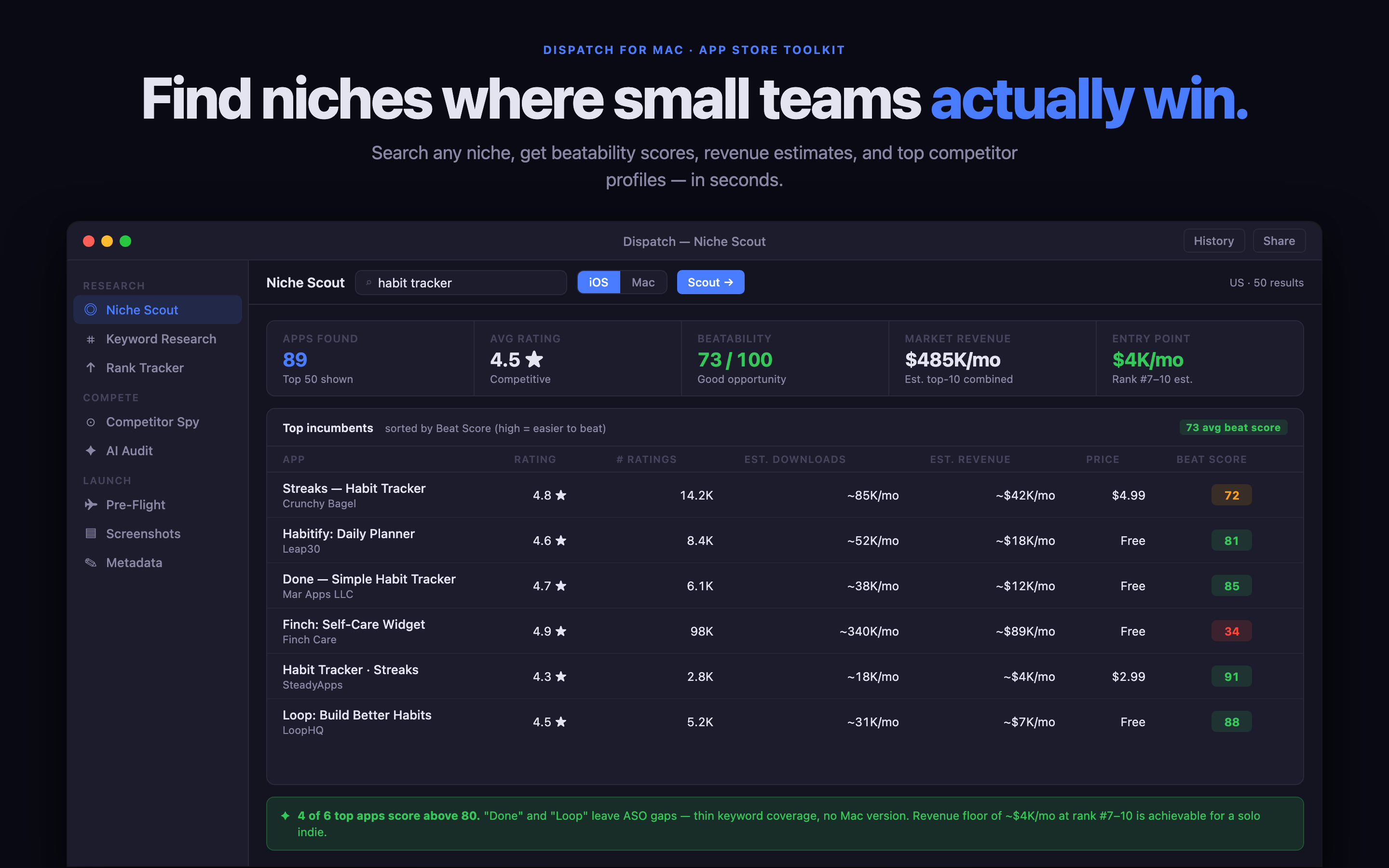
App Store keyword research becomes useful when it leads to a product decision. A list of phrases is not enough. An indie developer needs to know what people might search for, what competing apps promise, whether the phrase matches the product and how the final metadata will explain the app in a small space.
A focused Mac keyword tool can make that work easier to repeat before launch and after a meaningful update.
Start with the problem, not the feature list
Write down the situation your app solves in ordinary language. A receipt tracker might start with “track business expenses on iPhone”, while a weekly planner might start with “plan a realistic week as a freelancer”. These phrases are more useful than internal feature names because they describe the reason somebody opens the App Store.
Make a short list of variations: device, audience, situation and desired result. Do not try to cover every possible phrase. The goal is to find a clear promise that the product can actually keep.
Compare the promise on the first screen
Search results are a positioning exercise. Look at the apps that appear for a phrase and compare their names, subtitles, first screenshots and opening descriptions. Are they all promising the same thing? Is there an audience they are ignoring? Does your app have a more specific angle, or are you simply repeating the category language?
The comparison should change your copy, not encourage you to imitate another app. A useful keyword is one that helps the right person recognise your product quickly.
Keep research close to launch decisions
Dispatch is a native Mac App Store research and launch toolkit for independent developers. It helps keep the search phrase, competing promise, metadata draft and launch checks close together, so keyword research does not disappear into a spreadsheet that nobody opens again.
Use the research to make a short decision record:
- primary phrase and the situation behind it
- secondary phrases worth testing
- competing promises you want to avoid copying
- the product benefit that makes your app different
- the screenshot or page section that proves the claim
This record is useful when the app changes. You can see whether the new feature deserves a new keyword direction or simply strengthens the promise you already own.
Avoid chasing volume without fit
The largest phrase is not always the best phrase. A broad search can bring curious visitors who never needed your app, while a narrower search can bring somebody ready to download. Consider the fit between the phrase and the first-run experience. If the person expects a travel expense tracker and the app opens with a generic finance dashboard, the keyword may create a click but not a customer.
The same principle applies to screenshots and the product page on your own site. The words used in the App Store should lead to an experience that feels consistent when somebody follows the link to learn more.
Review after the launch, not every hour
Keyword work is most useful as a small review loop. Pick a change, record the date and compare downloads, impressions and conversion after enough time has passed. Avoid changing the title, subtitle, screenshots and price at the same moment if you want to learn anything from the result.
For developers who manage a website as well as an App Store listing, Rank can handle the related Search Console review: which supporting page is getting impressions, which one needs a clearer title and what changed after the edit.
If several of these jobs are part of your week, the Yuzool Mac App Bundle includes Dispatch and Rank alongside six other focused Mac apps for a one-time $99 purchase.
The best App Store keyword tool does not promise a magic ranking. It helps you turn vague search ideas into a specific product promise, a cleaner listing and a reviewable launch decision.