Technology
Bug Report Template: Steps to Reproduce a Software Problem
A clear bug report template for recording steps to reproduce, expected and actual results, environment details, evidence and impact.
Published September 15, 2026 · Michael at Yuzool
A useful bug report lets someone else see the same problem without needing you beside them. “The page is broken” describes a feeling; a reproducible report records the starting point, the action that failed and what happened instead.
The aim is not to write a novel or diagnose the cause. Capture enough context that a developer can try the same path, compare the expected and actual result, and decide what to investigate next.
Copy-and-paste bug report template
Title:
Short summary:
Environment:
Starting state or test data:
Steps to reproduce:
1.
2.
3.
Expected result:
Actual result:
Frequency:
Impact / who is blocked:
Evidence (screenshot, recording, log):
Workaround, if any:
Fill in the parts you know. Mark something unknown instead of guessing. A report with four exact steps is more useful than one with a confident but untested theory about the cause.
Write a title that narrows the search
Describe the visible failure and where it happens. “Export button does nothing on the invoice preview” is easier to find later than “Export bug.” If the issue only appears in a particular workflow, include that context: “Saved filter is missing after reopening the project list.”
Avoid putting a proposed fix in the title unless the cause is already confirmed. The report should help the team locate and understand the problem, not prematurely constrain the investigation.
Make the reproduction steps deterministic
Start from a clean, named state and list one action per step. Include the route, selection or sample record needed to reach the failure, while avoiding real customer information. Replace sensitive values with safe test data.
Weak steps: “Open the dashboard and try to export.”
Stronger steps:
- Sign in to the test workspace
Acme Demo. - Open Reports and choose “September summary.”
- Select CSV and press Export.
- Observe that the progress indicator stops, but no file is created.
Do not skip the step that makes the bug happen. If the issue depends on a specific sequence, record the sequence exactly. If you are not sure whether a step matters, include it and let the person investigating simplify the path.
Separate expected from actual
State what you thought should happen, then what you observed. Keep each statement concrete. “The layout should be better” is a design opinion. “The Save button should remain visible after scrolling; it moves below the fixed footer” describes something another person can check.
For a visual defect, identify the element and the condition: “At 125% browser zoom, the right side of the settings label is clipped.” For a data problem, state the input and the output you saw, using a non-sensitive example.
Include environment details that could change the result
Record the operating system or browser and version when you know it, the app or site version, and whether the issue appears in a fresh session. Add device size or display scaling for layout problems. You do not need a full machine inventory; include details that help someone repeat your conditions.
If the issue appeared after an update, say so and identify the previous version if it is available. A comparison can help establish when the behaviour changed, but avoid presenting timing as proof of the cause.
Attach evidence that answers a question
A screenshot can show the final state. A short screen recording can show a timing or sequence problem. A relevant error message can help, but copy only the portion needed and remove access tokens, email addresses or other private data before sharing.
Give files a descriptive name and keep them with the report. A clear capture plus two lines of context is often more useful than a folder of unlabeled images. The guide to organizing screenshots on Mac by project covers a simple filing routine for visual evidence.
Describe frequency and impact without exaggerating
Say whether the issue happens every time, intermittently or only once so far. Explain who is blocked and what work is affected. “All users cannot save” should mean you have evidence for that scope; otherwise, describe the account, action or environment you tested.
Severity and priority are team decisions. Your job as the reporter is to give the facts that help the team make them. A reliable workaround is useful context, but it does not make the original failure disappear.
Before you submit
Try the steps once more from the stated starting point. Check that the expected result is reasonable, the actual result is observable, and your evidence contains no private data. If you cannot reproduce it again, report that too; intermittent problems are still worth recording when the context is clear.
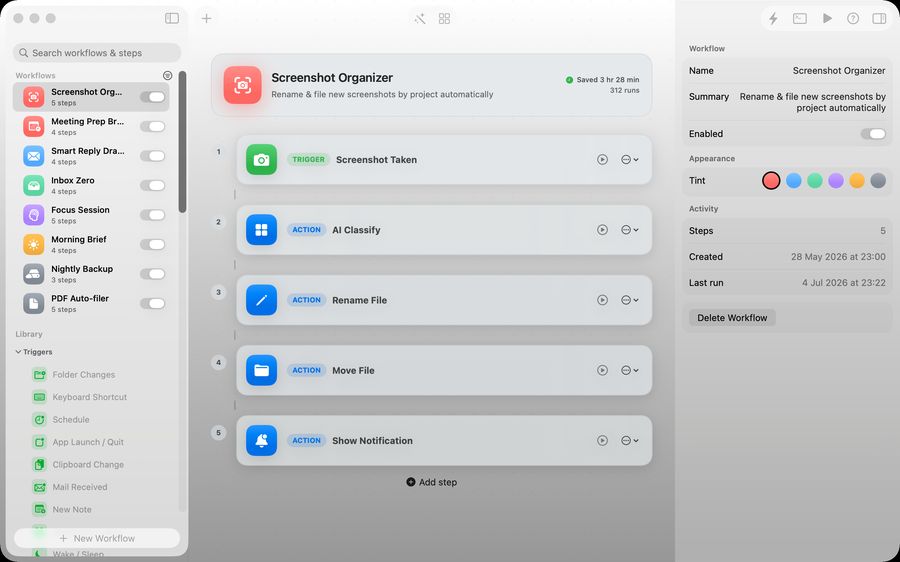
For screenshot-heavy Mac workflows, Relay can help keep repeated capture and filing steps consistent. The report itself should stay simple: enough detail to reproduce the problem, no guesswork disguised as certainty, and one clear description of why it matters.