Apps & Tools
GLP-1 Weekly Progress Reports: What to Review and What Not to Infer
A GLP-1 weekly report can gather your own notes in one place. Learn what a tracker may summarize, how to keep context, and why it is not medical advice.
Published October 10, 2026 · Michael at Yuzool
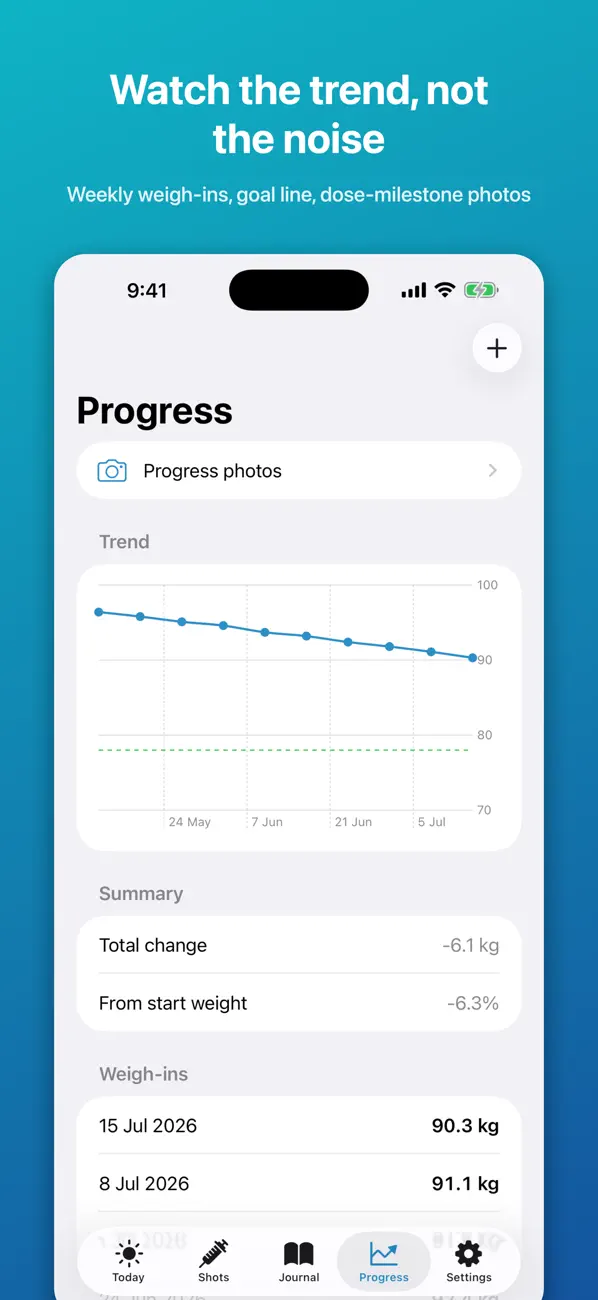
Short answer: use a GLP-1 weekly report as a compact record of what you logged, not as a verdict about your health or treatment. A useful review keeps dates and context together, notes questions for your clinician, and avoids turning one week's numbers into a medical conclusion.
Trackers vary in what they summarize. GLP-1 Companion's current App Store listing describes a Pro weekly report comparing your logged protein, water, food-noise and weight information with the prior week. It is a personal comparison, not a diagnosis or a recommendation.
What belongs in a useful weekly review?
Keep it limited to information you already chose to record. Depending on your routine, that might include:
- the dates you logged a dose, following your prescriber's instructions;
- notes about symptoms or how you felt, written in your own words;
- meal, protein or water entries you chose to track;
- weight entries and the dates they were recorded;
- questions that you want to ask a qualified professional.
You do not need to fill every category. A short record that you understand is more useful than a score built from incomplete data.
Read a comparison with its context
A week-to-week summary only reflects what was entered and how the app groups it. A blank day may mean no entry; it does not necessarily mean nothing happened. Changes can have many explanations, and a tracker cannot determine which one applies to you.
If you review a report, check the dates first. Look for missing entries, note anything that may help explain the week, and write down questions rather than guessing at causes. Do not change medication, dose, timing, food or fluid plans based on an app summary. Ask your prescriber about medical decisions.
Know what the report is—and is not
GLP-1 Companion's weekly report is described as a comparison of protein, water, food-noise and weight entries with the previous week. Its product listing does not describe the report as a clinical assessment or say that the report itself is a provider-ready document. The app's CSV export is a separate Pro feature.
This distinction is useful when comparing apps. Some use “weekly report” for a trend card, others for a shareable export, and some combine both. Check what the feature contains before you plan to use it in an appointment.
A five-minute review routine
- Check that the week and date range are the ones you meant to review.
- Notice which entries are missing instead of filling gaps from memory as if they were certain.
- Read the summary as a record of logged information, not a measure of success or failure.
- Write down any question you want to raise with your clinician.
- Follow professional guidance for treatment decisions.
If a symptom is worrying or urgent, a weekly report is not the right place to seek help. Contact an appropriate healthcare professional or emergency service.
A private way to keep the notes together
GLP-1 Companion is an iPhone record for shots, symptoms, meals and personal progress. Its current listing describes a weekly Pro comparison for protein, water, food-noise and weight, plus Apple Health options for weight and selected nutrition totals. See the app page for the current feature list and the Apple Health sync guide for the exact data scope.
GLP-1 Companion is a personal tracking tool, not medical advice, diagnosis or treatment. Keep following the directions from your prescriber.
Frequently asked questions
What does a GLP-1 weekly report tell me?
It summarizes only the entries and comparisons the app supports. GLP-1 Companion currently describes a Pro comparison of protein, water, food-noise and weight information with the previous week. It does not diagnose or explain medical causes.
Can I send the weekly report to my doctor?
The current listing describes the weekly report and CSV export as separate features. It does not say the weekly report itself is a clinician-ready document; check the app's current export options and decide what you want to share.
Should I change my treatment based on a report?
No app summary should replace your prescriber's directions. Ask your healthcare professional about treatment or symptom questions.